

TL;DR: Timergy lets you create anonymous polls where votes are completely private. No account needed, no IP tracking, no cookies. Share via link or QR code, get honest answers without peer pressure.
Sometimes you need honest answers, not polite ones. Whether it’s picking a team outing destination, gathering salary expectations, or voting on a sensitive workplace topic, anonymous polls remove the social pressure that skews results.
This guide covers when to use anonymous voting, how it works in Timergy, and why privacy-first polling leads to better decisions.
When Should You Use an Anonymous Poll?
Not every poll needs to be anonymous. But some situations call for it:
- Sensitive topics: Salary discussions, performance feedback, or controversial decisions where people hold back if their name is attached.
- Avoiding peer pressure: When a manager or popular team member votes first, others tend to follow. Anonymity breaks that pattern.
- Honest feedback: Post-event surveys, retrospectives, or “how was the meeting?” polls get more truthful responses when nobody is watching.
- Large groups: In big teams, people are less likely to participate if their vote feels exposed. Anonymous polls boost response rates.
If you want candid input rather than consensus theater, go anonymous.
How Anonymous Voting Works in Timergy
Creating an anonymous survey in Timergy takes about 30 seconds:
- Start a new poll (scheduling, survey, or task poll).
- Toggle “Anonymous voting” in the poll settings.
- Share the link or QR code. Done.
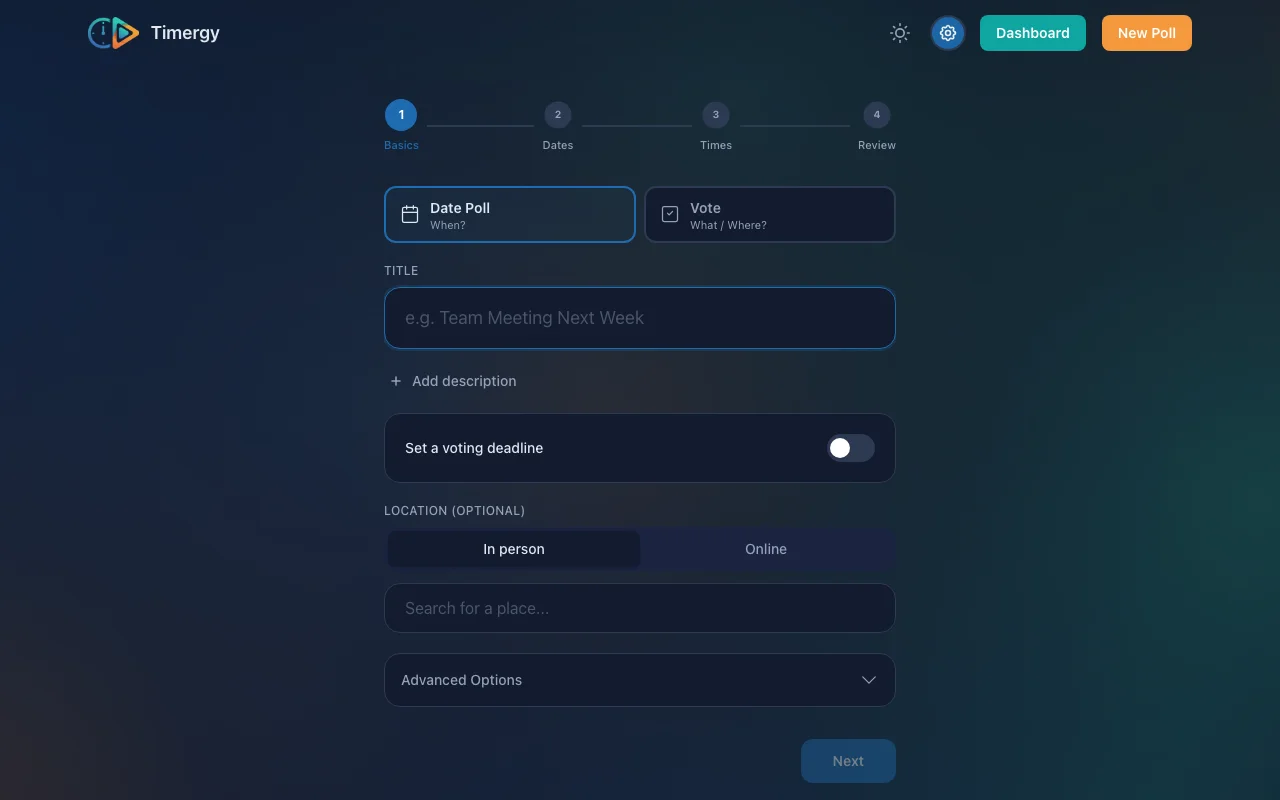
That’s it. When participants vote, their responses are recorded without any identifying information. Not even the poll creator can see who voted for what.
What “Anonymous” Actually Means
Some tools claim anonymous voting but still collect data behind the scenes. Here is what Timergy does differently:
| Timergy (Anonymous) | Typical “Anonymous” Tools | |
|---|---|---|
| Login required | ❌ No | Often yes |
| IP address logged | ❌ No | Usually yes |
| Cookies set | ❌ No | Yes (analytics, tracking) |
| Vote linked to identity | ❌ Never | Sometimes reversible |
| Creator can unmask votes | ❌ Impossible | Sometimes possible |
When you enable anonymous mode, the vote is stored with no user reference, no session token, no IP hash. The data simply does not exist, so it cannot be leaked, subpoenaed, or accidentally revealed.
For more on our privacy approach, see Why We Don’t Track You.
Use Cases for Anonymous Polls
Team Feedback and Retrospectives
“How satisfied are you with our sprint process?” on a scale of 1 to 5. With names attached, most people pick 4. Anonymously, you get the real distribution, and the real problems surface.
Salary and Compensation Discussions
Sharing salary ranges within a team helps everyone negotiate better. But nobody wants to go first. An anonymous survey lets everyone contribute without exposure.
Event Preferences
“Where should we go for the team offsite?” When the boss votes for golf, suddenly everyone loves golf. Remove the names and you might discover the team actually prefers hiking.
Workplace Surveys
HR satisfaction surveys, culture assessments, or “would you recommend this workplace?” questions. Anonymity is not just nice to have here; it is essential for getting data you can act on.
Community and Club Decisions
Board votes, budget allocation, or “should we raise membership fees?” work better as a private voting process. Members speak freely when their vote is confidential.
Anonymous vs. Named Polls: A Quick Comparison
| Anonymous | Named | |
|---|---|---|
| Best for | Sensitive topics, honest feedback | Coordination, accountability |
| Peer pressure | Eliminated | Present |
| Response rate | Higher (people feel safe) | Lower for sensitive topics |
| Follow-up possible | No (by design) | Yes |
| Duplicate prevention | Link-based (one vote per browser) | Account-based |
| Use with scheduling polls | ✅ Supported | ✅ Default |
| Use with survey polls | ✅ Supported | ✅ Default |
Tip: For scheduling polls where you need to know who is available when, named polls make more sense. For opinion polls and feedback, go anonymous. Check out 5 Tips for Better Scheduling Polls for more on getting the most out of your polls.
QR Code Sharing for In-Person Events
Every Timergy poll gets a unique QR code automatically. This is especially useful for anonymous polls at in-person events:
- Project a QR code during a meeting for instant anonymous feedback.
- Print it on a flyer for community votes.
- Display it at a conference booth for audience polling.
Participants scan, vote, and see results in real time. No app download, no account creation, no login required. The entire interaction takes under 10 seconds.
How Results Are Displayed
Anonymous poll results show the aggregate without any voter information:
- Scheduling polls: Total counts per time slot (e.g., “7 yes, 2 maybe, 1 no”) with no names.
- Survey polls: Vote distribution per option, percentages, and the winning choice.
- Task polls: Number of claims per task, without revealing who claimed what.
The results update in real time via WebSocket, so everyone sees votes come in live during meetings or events.
Combining Anonymous Polls with Survey Polls
Timergy’s survey polls support anonymous mode, which opens up powerful combinations:
- Run an anonymous “rate your experience” survey after an event.
- Create a multi-question anonymous feedback form with images per option.
- Chain an anonymous survey as a follow-up to a scheduling poll (find the date first, then vote anonymously on the agenda).
This makes Timergy a lightweight alternative to dedicated survey tools like Google Forms or SurveyMonkey, but with built-in privacy and zero setup friction.
Try It: Create Your First Anonymous Poll
Creating a no login poll with anonymous voting is free and takes 30 seconds:
- Go to timergy.com and tap “Create Poll.”
- Pick your poll type (schedule, survey, or task list).
- Enable “Anonymous voting” in settings.
- Share the link or QR code.
No sign-up needed to create or vote. No ads, no tracking, no cookie banners. For teams that need advanced features like calendar sync or SMS notifications, check out Timergy Pro.
Privacy is not a premium feature. It is the default.