

TL;DR: The booking page has been free since the summer, and it has grown a lot since. Today it holds several services with their own duration and price, group events with seats and a sign-up deadline, a request mode where you confirm first, deposits or full payment via Stripe, a page that translates itself into 40 languages, and a designer that shows exactly what your clients see. Getting started takes five minutes and costs nothing.
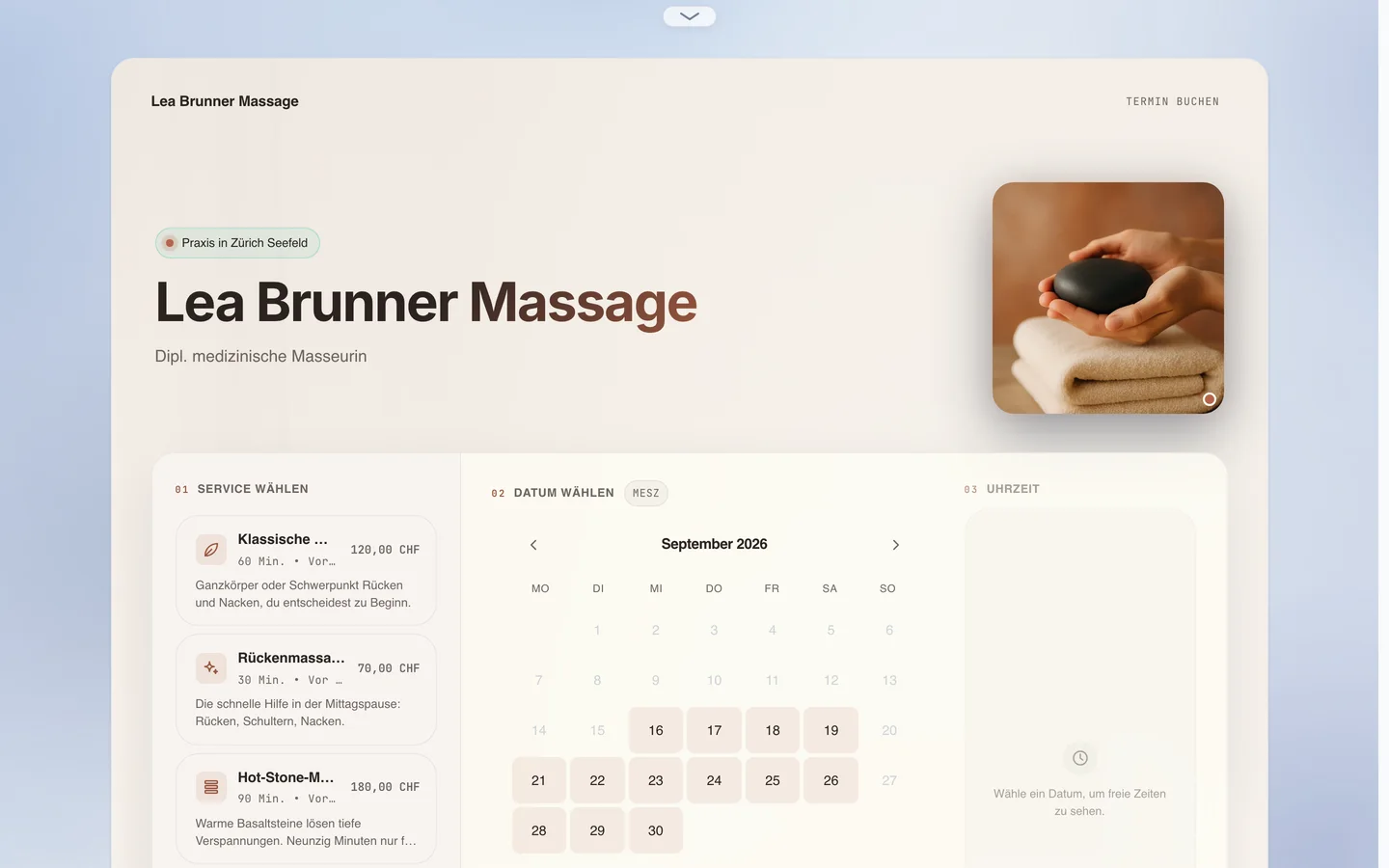
We rebuilt the booking page in May and made it free in June. Since then we added the things consultants, trainers, practices and clubs asked for most. Here is where it stands, shown on a massage practice in Zurich: four treatments, its own colours, a photo, a calendar. The picture above is her page, exactly as clients see it.
Several services on one page
A back massage takes 30 minutes and costs 70 francs, the classic massage 60 minutes and 120, hot stone 90 minutes and 180. All of them are services on the same page, each with its own duration, price, description and icon. You set the order, mark a favourite, and switch services off without deleting them. The currency is set once for the whole page.
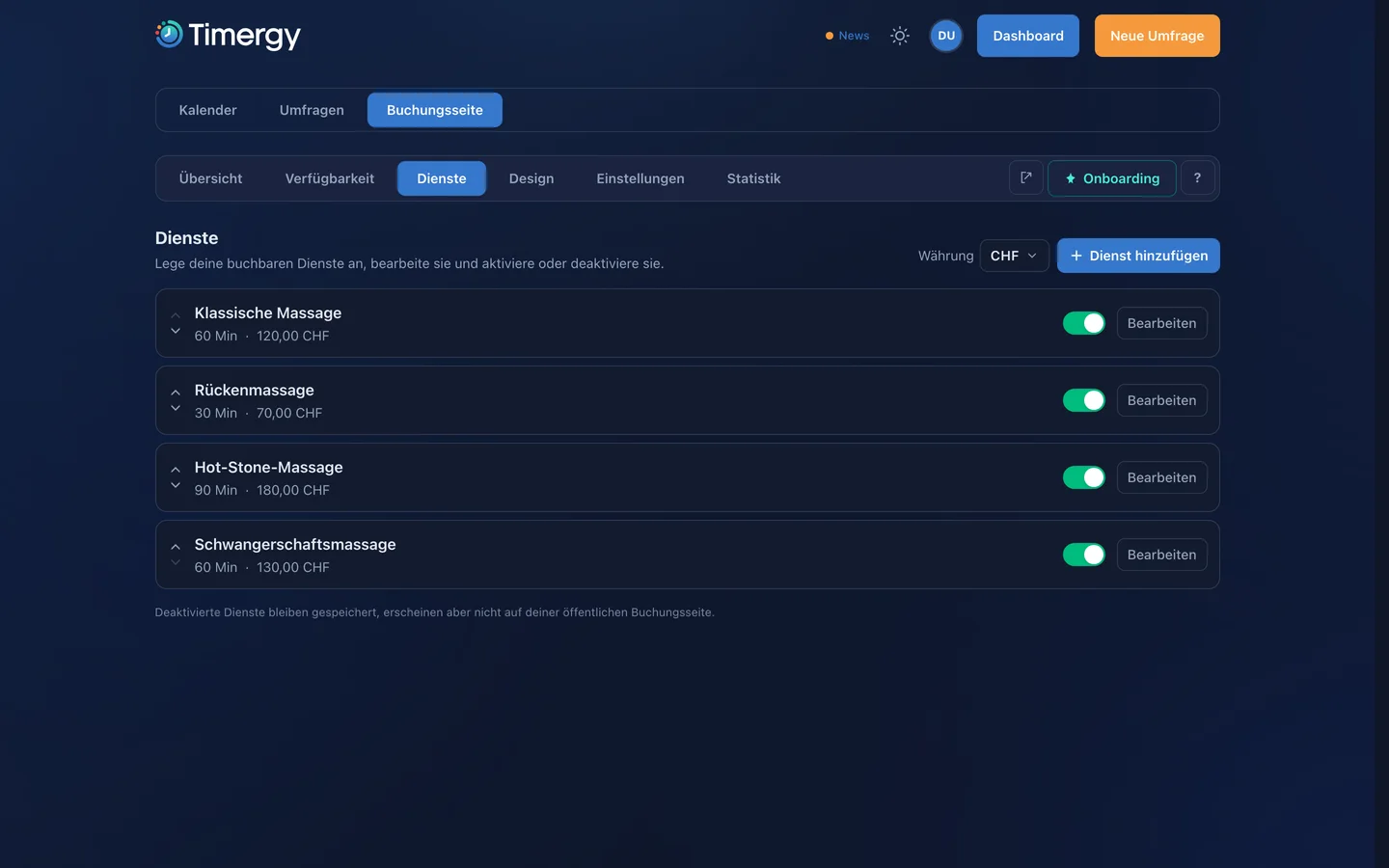
The client picks the service first, then the time. The calendar only shows times that fit the duration and adds buffers and lead time automatically. If the page has no video tool, the services say “In person” instead of “Online”.
Group events with seats
For courses, tours, trial sessions and info evenings there are group events: a service with, say, eight seats that several people book independently. You see how many seats are left, set a minimum number of participants and a sign-up deadline. If the minimum is not reached, Timergy cancels the event automatically and tells everyone.
Request to book instead of instant booking
Not every appointment should be final right away. In request mode a booking arrives as a request, you approve or decline, and only then the confirmation with calendar file goes out. Open requests expire on their own after a deadline, so nothing is left hanging. That is the right shape for practices, trades, and anyone who needs to check something before the appointment.
Deposit or full payment
People who pay show up. With Stripe you charge the full amount or a deposit at booking time, the rest is settled on site. The money goes straight to your Stripe account, Timergy keeps nothing. The booking is only final once the payment is through; if someone abandons the checkout, the slot frees up again shortly after. Cancellation terms appear as text on the page and in every email.
In 40 languages, without a translator
You write your page in one language. On request, Timergy translates it into your clients’ languages, with a language menu at the top of the page and an editor where you can polish every translation. If you change the source text later, a notice reminds you that the translations should follow. Visitors never trigger a translation, only you decide. Arabic, Hebrew, Persian and Urdu are set right to left.
The designer shows the real page
The designer is not a preview, it is your page in a frame: click a heading and type, drop a logo in, switch between the hero layout and the split layout and see the result immediately, on mobile too. Four tabs sit at the top: Layout, Theme, Colours and Advanced. Below them is the page, exactly as your clients see it.
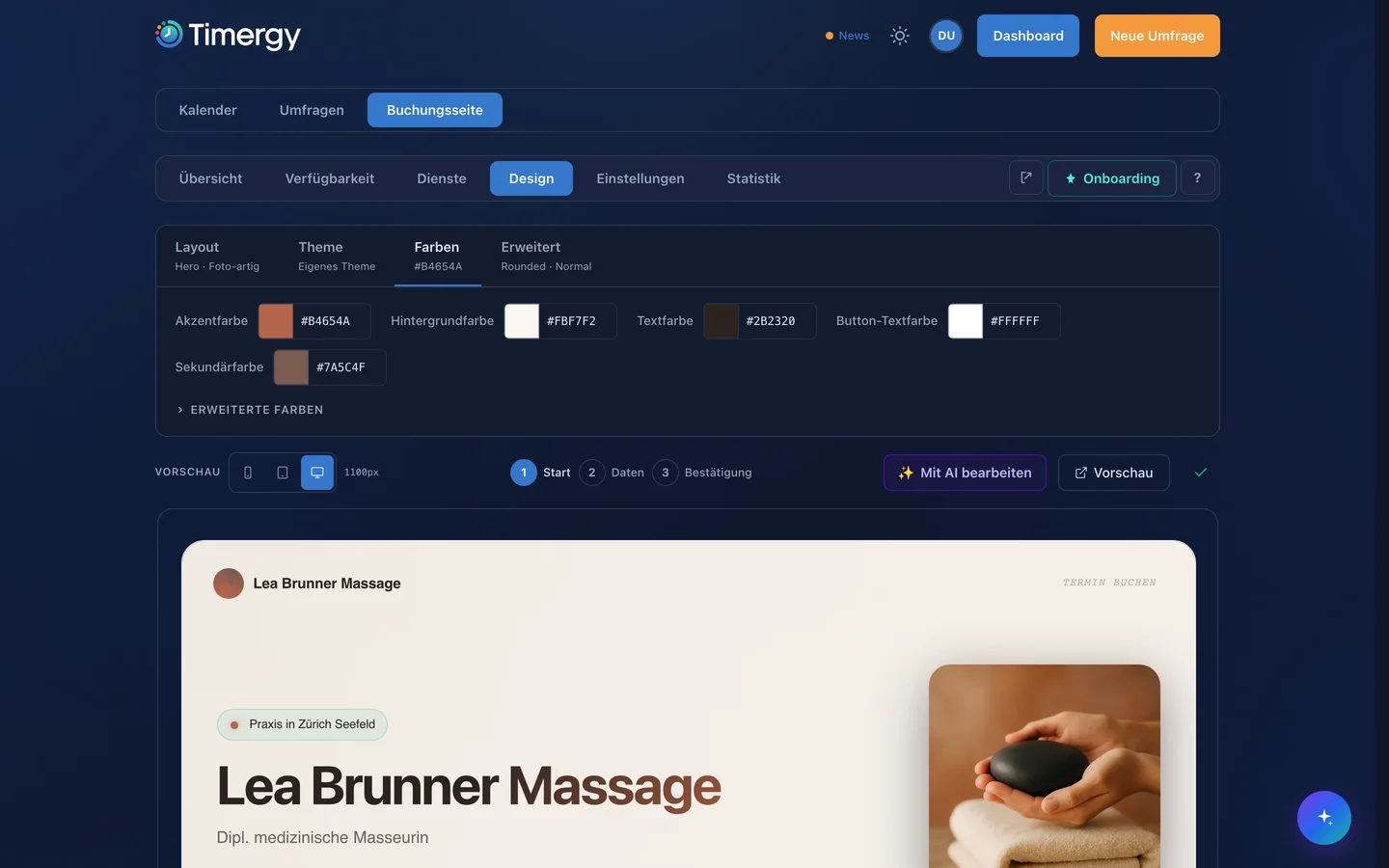
The practice above chose a warm palette: terracotta as the accent, a cream background, dark brown type. Every change to a colour shows up in the preview immediately. A contrast check warns when text would be hard to read on your colour. If you prefer dark, switch the whole page to a dark theme with one click, without touching anything else.
Pro adds your own colours, the full theme catalogue and the AI helper that adjusts the page from one sentence.
On the phone
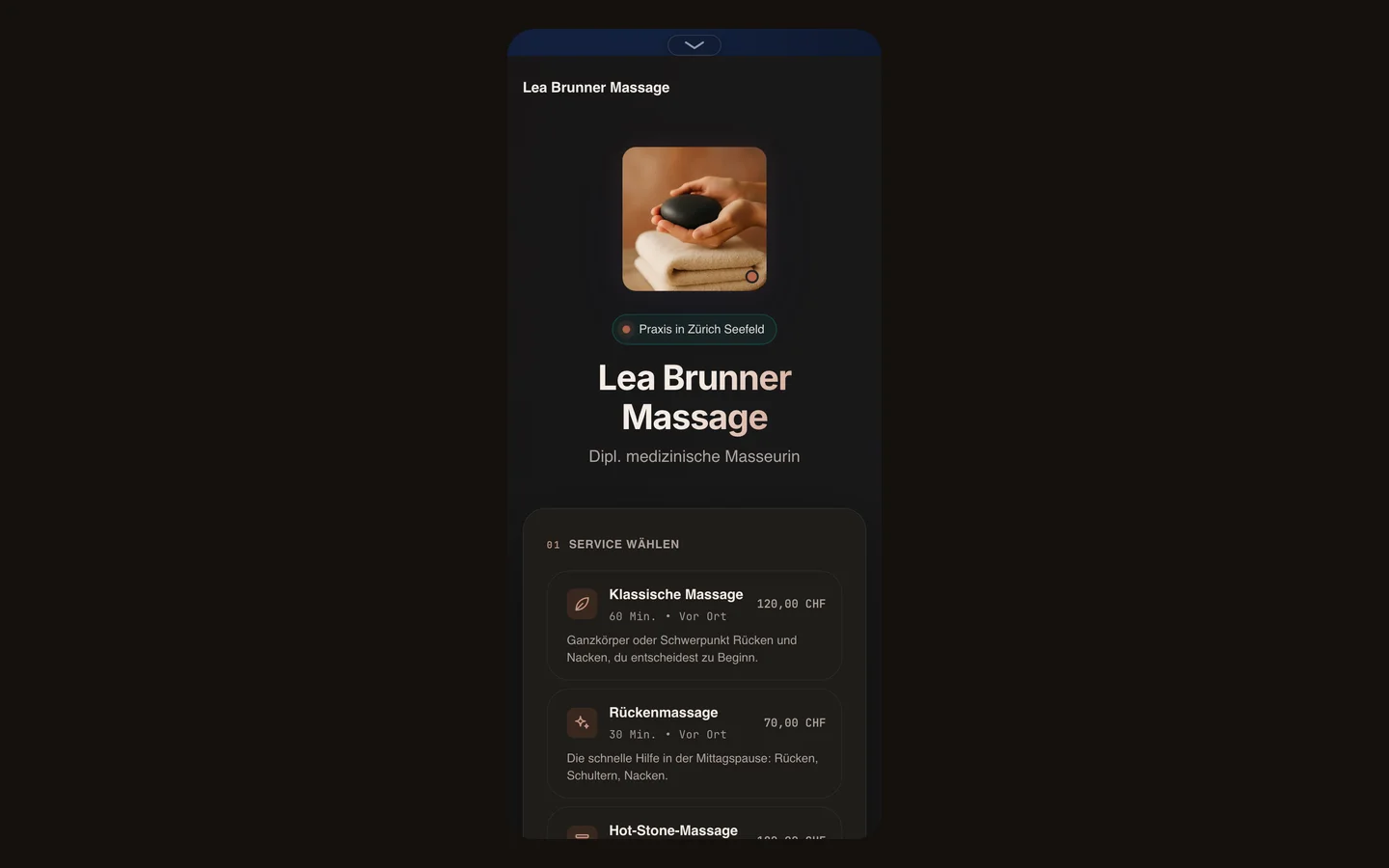
Most bookings come from a phone, often straight out of a chat or an Instagram profile. On the phone the page stacks: photo, title, then the services, then the calendar. There is nothing to zoom and nothing to scroll past that is not part of the booking.
What else is in there
- Recurring bookings: up to 52 appointments in one booking, for example every week at the same time.
- Reschedule and cancel by link, for you and for the person who booked, with a notice period you define.
- Reminders 24 hours and one hour before, plus a follow-up email after the appointment.
- Calendars: busy times from Google, Outlook, iCloud and CalDAV disappear on their own; with Pro every booking lands in your calendar as an event, with the conference link.
- Embedding: as a section, a floating button or a popup on your own website, Wix included.
- Statistics: views, bookings, popular times and where your visitors come from.
What is free and what Pro costs
The booking page with unlimited bookings, services, weekly schedule, calendar sync, reminders and request mode is free. Pro costs 3.99 a month or 39.90 a year and adds payments, group events, calendar write-back, SMS reminders, your own colours, translation, the AI helper and a custom URL. If Pro lapses, your basic page stays online.
Start now
Open your booking page and add a service. No account yet: how the free booking page works. Still comparing: Timergy compared with Calendly, Cal.com and others.