

TL;DR: Offer 5-7 time options, set a 48-hour deadline, connect calendars for automatic vote pre-fill, and choose the right visibility mode. These five tweaks consistently double response rates for group scheduling polls.
You created a scheduling poll, sent the link, and… silence. Half the group hasn’t voted, the deadline passed, and you’re back to texting people one by one. Sound familiar?
The problem usually isn’t the meeting scheduler. It’s how the poll is set up. Here are five practical tips that help you find the perfect time faster, whether you’re organizing a team meeting, a dinner with friends, or a 50-person event.
1. Offer 5-7 Time Options (Not More, Not Fewer)
Too few options and nobody can make any of them. Too many and participants feel overwhelmed, close the tab, and never come back.
The sweet spot is 5-7 options.
This gives participants enough flexibility to find at least one slot that works, without turning the poll into a wall of checkboxes. Research on decision fatigue backs this up: people make better choices when presented with a manageable number of alternatives.
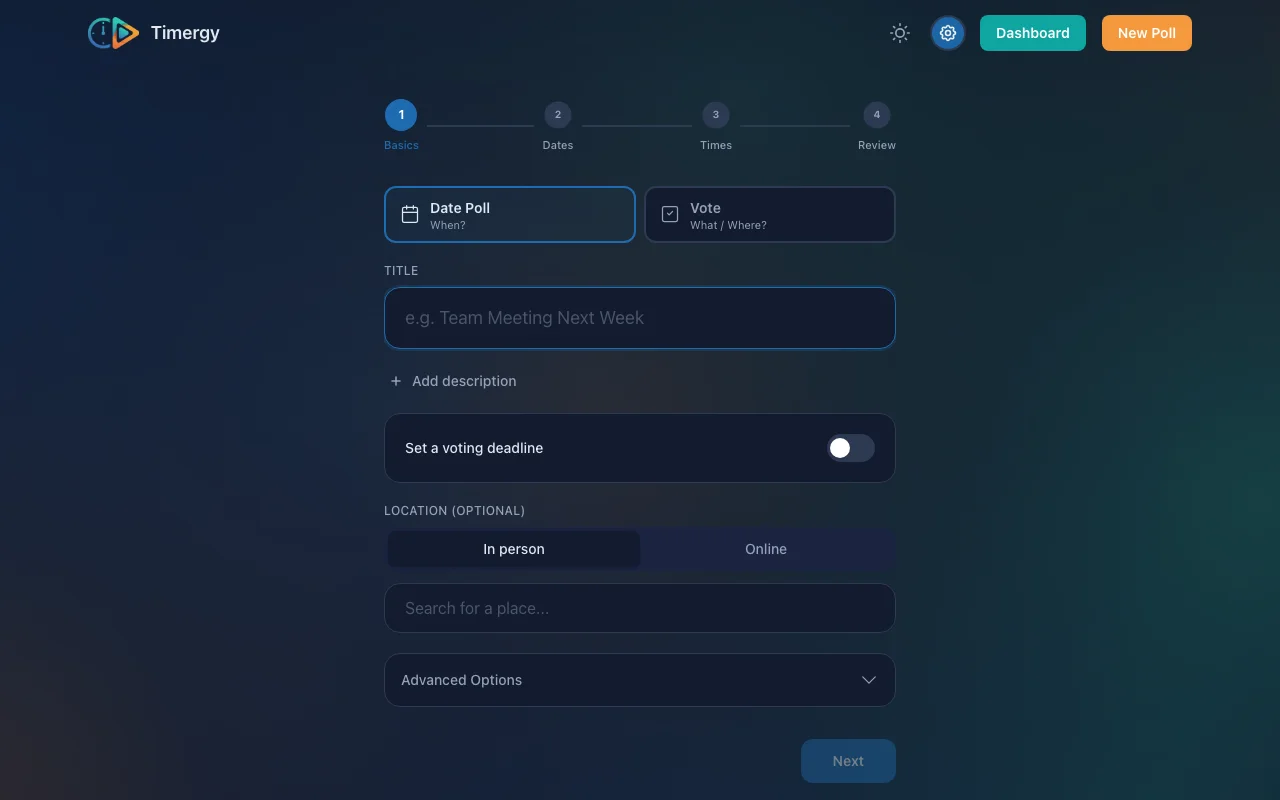
Practical example: You’re planning a team offsite. Instead of listing every free hour across two weeks (20+ options), narrow it down: two morning slots, two afternoon slots, and two evening options across different days. Six options, clear structure, fast decisions.
Pro tip: If you’re not sure which slots to pick, check your own calendar first. Timergy’s calendar integration highlights your conflicts right in the creation wizard, so you only propose times you can actually make.
2. Set a Deadline to Create Urgency
A scheduling poll without a deadline is a scheduling poll that never gets answered. People see it, think “I’ll do this later,” and forget. A clear cutoff creates urgency and gives stragglers a reason to vote now.
Best practice: Set the deadline 48-72 hours before you actually need the answer. This leaves you a buffer to follow up with non-voters or finalize manually.
Timergy sends automatic reminders before the deadline and can auto-finalize the poll once it expires, picking the best option based on votes received. No more chasing people in group chats.
Practical example: You’re planning a birthday dinner for Saturday. Create the poll on Monday, set the deadline to Wednesday evening. That gives everyone 48 hours to vote and leaves you two full days to make a restaurant reservation. When Wednesday hits, Timergy picks the winning time and notifies everyone automatically.
For recurring meetings, consider Buddy Groups, which skip the poll entirely and find the best time from connected calendars every week.
3. Connect Calendars for Automatic Vote Pre-Fill
This is the single biggest time-saver for participants, and the best way to boost response rates. When voters connect their calendar, Timergy automatically detects conflicts and pre-fills their votes: green for free slots, red for conflicts.
Instead of manually cross-referencing each time option against their calendar, participants just review the pre-filled votes and hit submit. What used to take 2 minutes now takes 10 seconds.
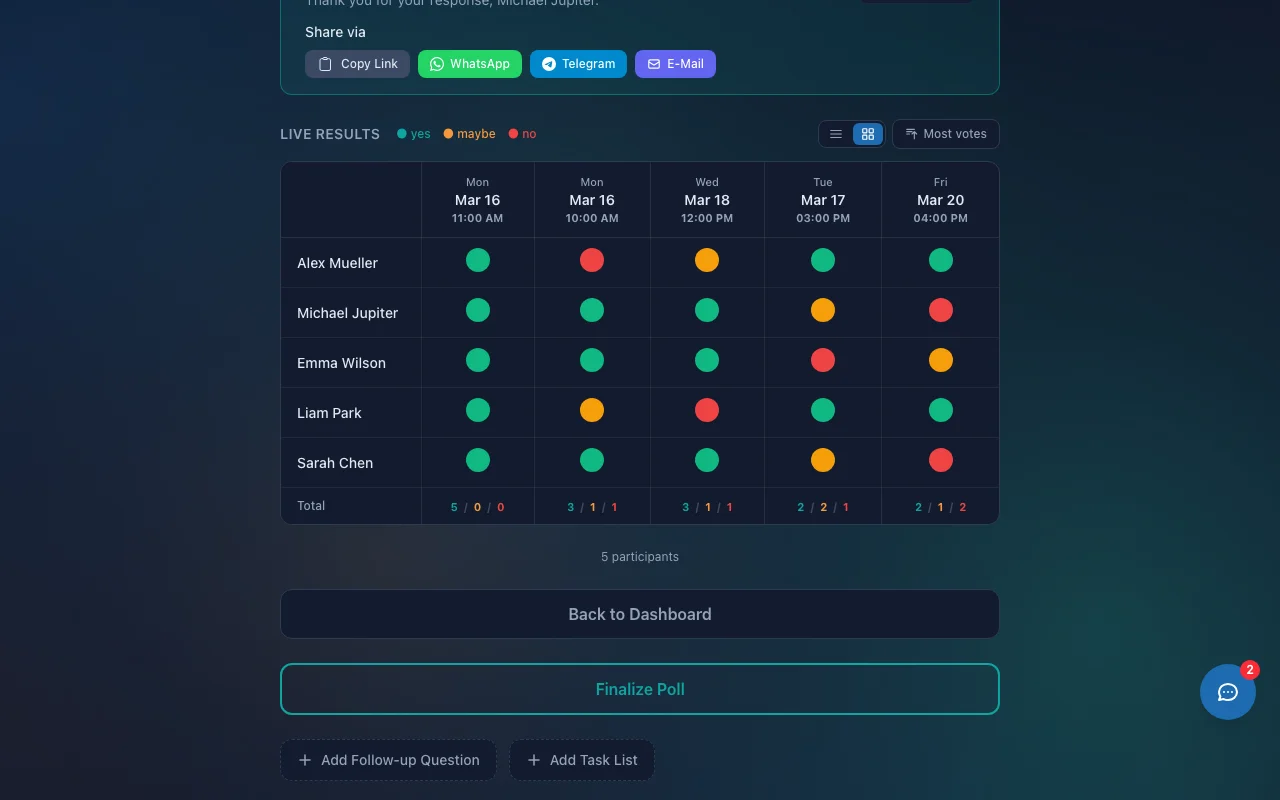
Practical example: You send a scheduling poll to 10 colleagues. Six of them have Google Calendar connected. Those six vote in under 15 seconds each because their conflicts are already marked. The other four have to manually check each slot. Guess which group responds faster?
Timergy supports five calendar providers for free: Google Calendar, Microsoft Outlook, iCloud, CalDAV (Nextcloud, Synology, etc.), and ICS feeds. Compare this to Doodle, which locks calendar sync behind a ~$7/month paywall. If you’re looking for a Doodle alternative with free calendar integration, this is it.
4. Anonymous vs. Named Polls: When to Use Which
Timergy lets you create both anonymous and named polls. Picking the right mode for your situation makes a real difference in response quality.
Use Named Polls When:
- Accountability matters: Team meetings, client calls, project kickoffs. You need to know exactly who can and can’t make it.
- Follow-up is needed: You can see who hasn’t voted yet and nudge them directly.
- Small groups (under 15): Seeing names adds helpful context and builds commitment.
Use Anonymous Polls When:
- Large groups (15+): Nobody needs to scroll through 40 names. Focus on the numbers.
- Sensitive decisions: Combined with a survey poll, anonymity encourages honest answers.
- Public events: When sharing a poll link publicly, anonymous mode protects participant privacy.
Practical example: Planning a surprise party? Anonymous poll, so the guest of honor can’t accidentally see who’s coming. Scheduling a quarterly review with your team? Named poll, so you can chase the three people who always forget to respond.
5. Write a Clear Title and Description
Most scheduling polls have titles like “Meeting” or “Dinner.” That tells participants nothing about what they’re committing to, and vague polls get ignored.
A good poll title answers: What, Who, and Why.
| Bad Title | Better Title |
|---|---|
| Meeting | Q2 Planning (Marketing Team), 60 min |
| Dinner | Birthday Dinner for Sarah, downtown |
| Call | Product Demo for Acme Corp |
Add a description with details participants need before voting: location, expected duration, what to prepare, or a dress code. The more context you provide up front, the more confident people feel about committing.
Practical example: “Team Retrospective (Engineering), 60 min, virtual. Please review last sprint’s metrics before the meeting.” Now every participant knows exactly what they’re voting for, and you’ll get faster, more confident responses.
Putting It All Together
Here is a quick checklist for your next scheduling poll:
- Propose 5-7 time options that you’ve already checked against your own calendar
- Set a deadline 48-72 hours before you need the final answer
- Share the calendar connect link so participants get automatic vote pre-fill
- Choose named or anonymous based on your group size and context
- Write a descriptive title that answers What, Who, and Why
These are not just theoretical tips. They’re patterns from the most successful polls on Timergy. Small changes in how you set up a group scheduling poll lead to dramatically better response rates.
Ready to try it? Create a free poll in under a minute. No sign-up required for participants, no ads, no tracking. Need advanced features like calendar write-back, SMS reminders, or paid bookings? Check out Timergy Pro.