

TL;DR: We rebuilt Timergy’s booking pages from scratch. There are now 8 industry-ready theme presets, two layout templates (Hero and Split), customizable profile photos, a services catalog, reviews, a trusted-by row, stats, and an FAQ section, all on top of the booking flow you already know. Setup still takes 5 minutes. It’s a Pro feature starting at ~$4/mo.
You know the drill: someone emails you asking for a meeting, you reply with three time slots, they counter with two others, and three days later you’re still going back and forth. A booking page fixes that. You share one link, people pick a slot.
The piece that bothered us was: most scheduling links look like, well, scheduling links. Generic, identical, “powered by some-tool” at the bottom. So we threw the old design out and built something that lets your booking page actually look like your business.
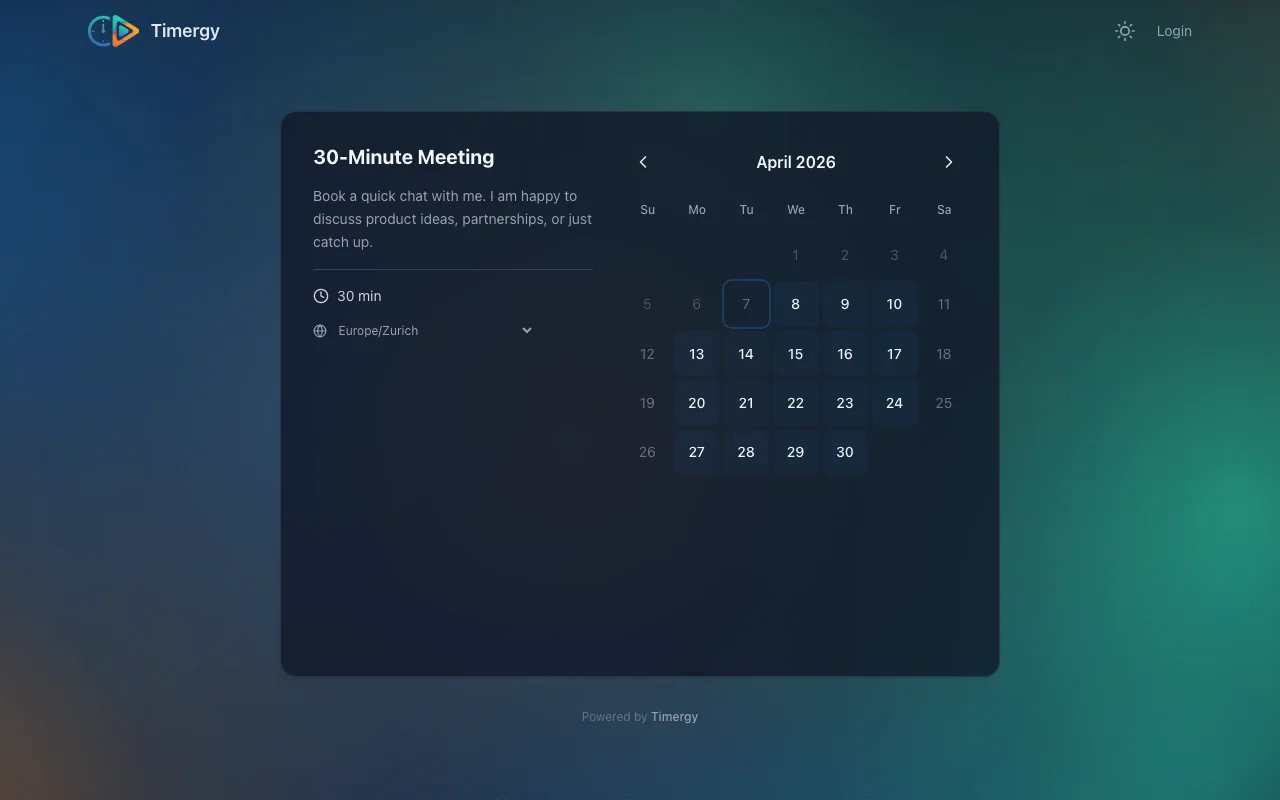
A Booking Page That Finally Looks Like You
The new editor opens with a theme preset gallery. Pick one and the entire page (colors, fonts, photo shape, hero background, button styling) updates in one click. There are 8 presets out of the box:
- Stil: Modern, Minimal, Bold, Warm
- Branche: Coach, Anwalt, Fitness, Therapie
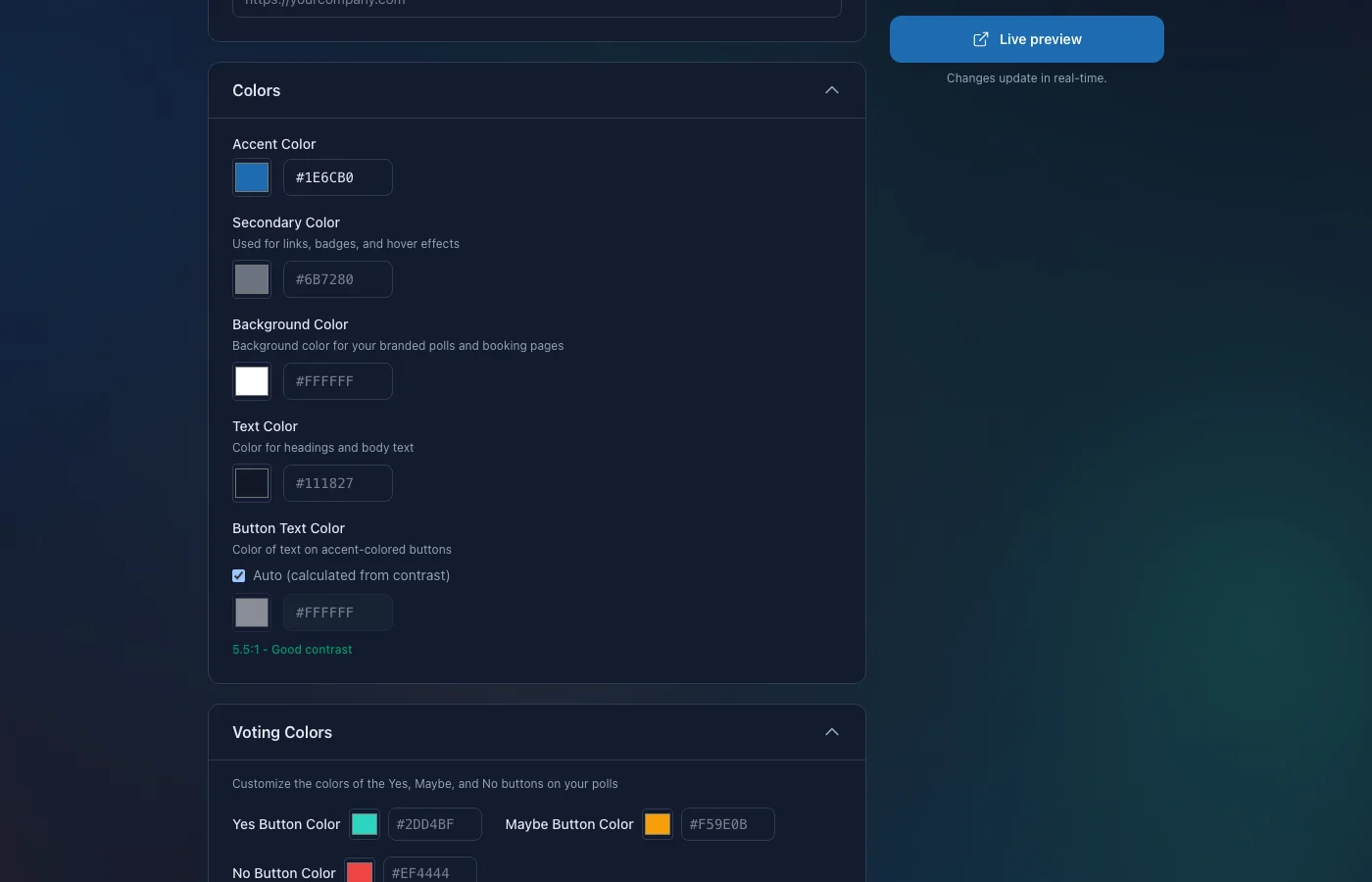
Each preset is a starting point, not a cage. After picking one you can override anything: accent color, secondary color, font, background, photo shape, hero treatment.
Two Layout Templates
Pick the structure that fits the way you want to be seen:
- Hero: Big banner up top, profile photo and intro front and center, calendar widget below. Editorial vibe; great for solo coaches, consultants, and personal brands.
- Split: Two-column layout with a brand pane on the left (logo, photo, social, FAQ) and the booking flow on the right. Calmer and more product-y; works for studios, clinics, and agencies.
You can switch layouts at any time without losing your content or branding.
Hero Backgrounds
The Hero layout supports five different background styles:
- Gradient (derived from your accent color)
- Pattern (dots, grid, waves, diagonals; tinted to your accent)
- Image (a soft, accent-tinted gradient blur)
- Custom (upload your own background image; opacity is controlled by a slider)
- None (flat surface, very minimal)
Profile Photo Shapes
Your face (or your logo) sits in the hero in one of four shapes: circle, square, rounded, or polaroid. The polaroid frame adds a subtle white border and shadow for that warm-personal vibe.
Sections You Can Show on Your Page
Booking pages are no longer just calendar + slots. The new layout has rich content sections you can opt into:
Services Catalog
Offer multiple services with different durations, prices, descriptions, and bullet lists. Mark one as Popular to highlight it. Each service can have its own icon, max-participants count, and price note (“from $99”, “per person”, “incl. VAT”). When a visitor picks a service, the booking flow continues with the duration and price set on that card.
Reviews
Add testimonials with author name, role, star rating, and quote. They render in a 1/2/3-column grid that adapts to screen width.
Trusted-By Row
A clean horizontal strip of names (companies, publications, partners) with a label like “Trusted by” or “As seen in”. Renders as plain text in your brand font, no logo wrangling required.
Stats
A 3-up tile row for quantitative bragging rights (“500+ sessions booked”, “12 years experience”, “98% on-time rate”). Each tile has a value and a short label.
FAQ
Accordion-style FAQ with smooth open/close transitions. Useful for questions like “What’s your cancellation policy?”, “Do you take insurance?”, “Where is your office?”.
Bio + Tagline
A short tagline above the hero (“Helping founders ship faster”), a longer bio section with rich-text formatting further down. Both are optional.
Custom Section Labels
Don’t like the word “Services”? Rename it to “Offerings”, “Pakete”, “Programmes”, whatever fits. Same for “Reviews”, “About”, “FAQ”, “Trusted by”, and the primary/back CTAs.
Setup in 5 Minutes
Even with the new design freedom, getting your booking page running takes the same few steps:
- Create a booking page from your Timergy dashboard. Give it a title and pick a URL slug.
- Pick a theme preset (or customize from scratch).
- Set your duration. Fixed (15, 30, 60), dynamic range, or multiple fixed options.
- Define availability windows.
- Add the sections you want: bio, services, reviews, FAQ, stats, trusted-by.
- Publish and share your link.
That’s it. Your booking page is live at timergy.com/b/your-name and ready to accept appointments.
Availability Windows
Availability windows let you control exactly when people can book. Set different hours per weekday, block out lunch, or mark whole days as off.
Timergy syncs with your connected calendars (Google, Outlook, iCloud, CalDAV). If you have an appointment on Tuesday at 2 PM, that slot disappears from your booking page. No double-bookings, no manual updates.
Three knobs to fine-tune the schedule:
- Minimum notice period (e.g. no bookings less than 2 hours from now) prevents last-minute surprises.
- Booking window (e.g. only allow bookings up to 4 weeks in advance) keeps your schedule predictable.
- Buffer time between appointments gives you breathing room between back-to-back sessions.
Paid Appointments with Stripe
If you offer consulting, coaching, or any paid service, you can collect payment at the time of booking:
- Connect your Stripe account from the booking page settings (Stripe Connect, payouts go straight to your bank).
- Set a price and currency (21+ currencies supported).
- Done.
The booking only confirms after payment succeeds. Timergy takes no platform fee on top of standard Stripe processing. For a deeper dive, see our guide on paid bookings.
Video Conferencing
Most meetings happen online. The new booking pages still integrate with:
- Zoom (OAuth, meeting link auto-created per booking)
- Google Meet
- Microsoft Teams
- Jitsi (free, no account)
The link lands in the confirmation email and the calendar invite. No manual setup per appointment.
Recurring Bookings
Some appointments happen on a regular cadence. Timergy supports recurring bookings up to 52 weeks. The visitor picks their first slot, chooses a recurrence pattern (weekly, biweekly, monthly), and all future slots get reserved at once. Each session still gets its own confirmation and reminder, and conflicts on future dates skip automatically.
SMS, Telegram, and Email Reminders
No-shows cost you time and money. Timergy sends automatic reminders at configurable intervals:
- Email reminders before each appointment (free)
- SMS reminders via Twilio (Pro)
- Telegram notifications (free, if your bookers prefer Telegram)
Send one the day before, another 30 minutes prior, whatever pattern you want.
Analytics with PDF Export
The analytics dashboard shows total bookings, revenue (for paid pages), busiest days, popular slots, and cancellation rates. Export the data as a PDF report for accounting or tax purposes.
A Calendly Alternative at a Fraction of the Price
Booking pages are a Pro feature, starting at ~$4/month. That’s significantly less than Calendly ($10/mo) or Cal.com ($12/mo). And unlike those tools, Timergy also includes group polls, surveys, task lists, and 41 languages in the same plan. One tool instead of two or three.
See our full comparison with Calendly and Cal.com for a feature breakdown.
Get Started
Ready to ship a booking page that looks like yours?
- Sign up at timergy.com
- Upgrade to Pro
- Pick a theme preset
- Add your services, photo, reviews, FAQ
- Share your link
Your schedule, your rules, one link. Create your booking page now