

TL;DR: Timergy is a time zone scheduler built for global teams. Every participant sees poll times in their own timezone. Combined with 41 languages, anonymous voting, calendar conflict detection, and real-time WebSocket updates, it’s the best international meeting tool for distributed teams.
Scheduling a meeting with three people in the same office is simple. Scheduling one across New York, Berlin, and Tokyo is a headache. Time zones, daylight saving transitions, cultural differences, and language barriers turn a five-minute task into an email thread that lasts days.
Most scheduling tools were designed for co-located teams and bolt on timezone support as an afterthought. Timergy was built from day one for remote team scheduling across any number of time zones.
The Time Zone Problem
Here’s what typically goes wrong with global team scheduling:
- Someone posts “Let’s meet at 3 PM” without specifying a timezone
- Half the team converts the time incorrectly
- Daylight saving changes shift the offset by an hour mid-season
- The organizer picks a time that’s 2 AM for someone in Asia-Pacific
These mistakes waste time and erode trust on distributed teams. A proper time zone scheduler needs to eliminate all of them automatically.
Automatic Time Zone Conversion
When you create a poll in Timergy, every participant sees the proposed times in their own local timezone. There is no manual conversion, no confusion, no “wait, is that your time or my time?”
The conversion happens based on each participant’s browser timezone. If you propose Tuesday at 2:00 PM and a colleague opens the poll from Tokyo, they see Tuesday at 9:00 PM JST. If another colleague opens it from San Francisco, they see Tuesday at 5:00 AM PDT. Everyone votes on the same actual moment in time, displayed in a way that makes sense to them.
This applies everywhere in the app: poll creation, the voting grid, result summaries, finalization emails, and calendar events.
Buddy Groups for Recurring Standups
For remote teams that need a regular standup or weekly sync, recreating a scheduling poll every week is tedious. That’s exactly what Buddy Groups solve.
Create a Buddy Group once, invite your teammates, and connect your calendars. Timergy continuously finds the best overlapping time window based on everyone’s real availability. It handles timezone differences, daylight saving transitions, and calendar conflicts automatically.
Why this matters for remote teams:
- Host rotation ensures the “bad timezone slot” doesn’t always fall on the same person
- Multi-week cycles (every 2, 3, or 4 weeks) match real sprint rhythms
- Minimum quorum settings let the meeting happen even if not everyone can attend
- Weekly email digests arrive in each member’s language and timezone
No more “Can someone create the Doodle for next week’s standup?” messages in Slack.
41 Languages for Truly International Teams
A remote team scheduling tool that only speaks English excludes a significant portion of your team from a comfortable experience. Timergy supports 41 languages, and every touchpoint is translated: the poll interface, voting pages, email notifications, SMS alerts, and Telegram messages.
When you share a Timergy poll link, each participant sees the entire experience in their browser’s preferred language. A developer in Seoul sees Korean. A designer in Sao Paulo sees Brazilian Portuguese. A project manager in Prague sees Czech. Nobody needs to interpret English UI labels to cast a vote.
This is not just a nice-to-have feature. For cross-cultural teams, removing language friction directly improves participation rates.
Anonymous Polls for Cross-Cultural Sensitivity
In many cultures, openly disagreeing with a manager’s preferred meeting time is uncomfortable. Anonymous voting removes that pressure entirely.
When you enable anonymous mode on a Timergy poll, participants can vote honestly without their name being attached to their choices. The organizer sees aggregated results but not who voted for what. This leads to more accurate availability data, which means fewer no-shows and rescheduled meetings.
For international teams spanning cultures with different attitudes toward hierarchy and direct communication, anonymous polls are not optional. They are essential for getting truthful responses.
Real-Time WebSocket Updates
Remote teams often work asynchronously. Someone in London creates a poll in the morning, teammates in California vote in the afternoon, and colleagues in Singapore respond the next day. With tools that require page refreshes, you never know if you are looking at current data.
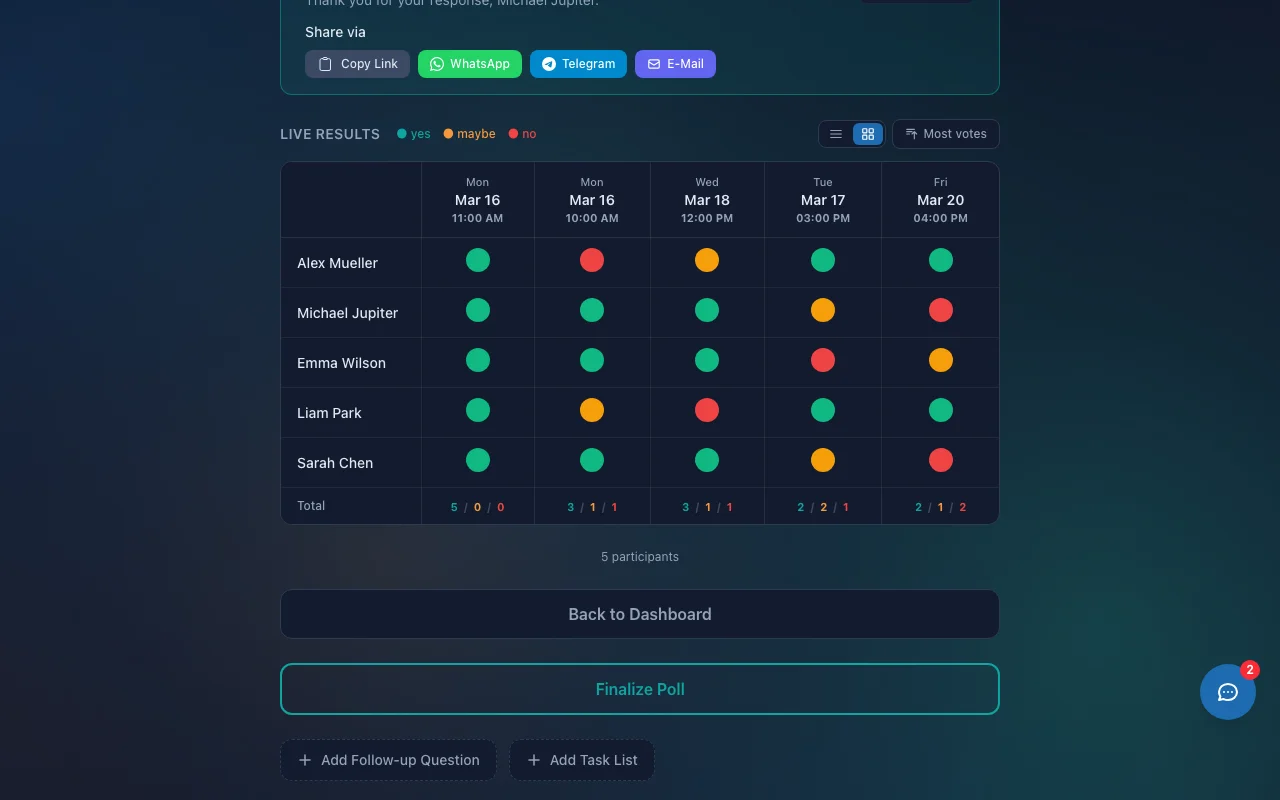
Timergy uses WebSocket connections for instant, real-time updates. When a teammate votes, you see it appear immediately. Chat messages arrive live. Task claims update without refreshing. The voting grid reflects the current state at all times.
This matters most for async teams: you can keep the poll tab open and watch responses come in throughout the day, without repeatedly hitting refresh to check if anyone has voted yet.
Notifications in Every Participant’s Language
When Timergy sends a notification, whether by email, SMS, or Telegram, it arrives in the recipient’s language and timezone. If you finalize a meeting for Wednesday at 10:00 AM CET, your teammate in Japan receives an email (in Japanese) confirming Wednesday at 6:00 PM JST.
The notification includes:
- The confirmed time in the recipient’s local timezone
- An .ics calendar attachment with the correct timezone data
- All content translated into the recipient’s preferred language
No more forwarding calendar invites with timezone notes like “this is Berlin time, please convert.”
Calendar Integration Across Time Zones
Timergy connects to Google Calendar, Microsoft Outlook, iCloud, and any CalDAV provider. When participants connect their calendars, Timergy detects conflicts across timezones automatically.
During voting, each time slot shows whether it conflicts with existing events in your calendar. The system handles timezone math behind the scenes, so a Google Calendar event in Pacific Time and an Outlook event in Central European Time are both correctly evaluated against the proposed meeting times.
When a poll is finalized, Timergy writes the confirmed event directly into each participant’s connected calendar, in the correct timezone. No manual entry, no copy-paste errors.
Start Scheduling Across Time Zones
If your team spans more than one timezone, you have felt the pain of manual time conversion, missed meetings, and participation gaps from language barriers. Timergy eliminates all of it.
Create your first poll in under a minute. Share the link with your global team. Everyone sees times in their timezone, the interface in their language, and results update in real time. No account required for participants, no tracking, no ads.
Try Timergy for free and see how simple remote team scheduling can be.